Suncraft Official Links & Wiki Directory
Trusted sources from Spicy Tuna Games and every major section of this fan wiki.
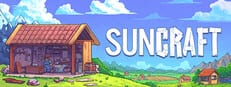
This page collects verified official links for Suncraft alongside a directory of fan wiki sections. Spicy Tuna Games publishes the game on Steam, hosts the studio site at spicytuna.games, and maintains a Discord community for demo feedback and launch announcements. Bookmark this hub when you need the store page, demo download, or a quick jump to guides without searching the header menu.
Official Suncraft links
These URLs come from the developer and Steam store pages. Always confirm patch dates and feature lists through official channels before relying on third-party summaries.
- Suncraft on Steam — full release store page, system requirements, languages, and purchase options. Demo progress carries over from the free demo listed on the same page.
- Suncraft Demo on Steam — free demo with village progress that transfers into the full game. Ideal for testing the gather-craft-quest loop before buying.
- Spicy Tuna Games — indie studio homepage with game overview, contact email, and links to Discord and Steam.
- Suncraft Discord — community server for bug reports, skill tree feedback, and launch news directly from the developers.
- Steam Community Hub — official discussions, patch announcements, and player screenshots.
About this wiki
Suncraft.wiki is an unofficial fan resource. We are not affiliated with or endorsed by Spicy Tuna Games. Guides are written for search-friendly walkthroughs and updated after major patches — verify critical details on Steam or Discord when stakes matter (save compatibility, demo carryover rules, platform support).
For legal pages shared across languages, see Terms of Service, Privacy Policy, and Cookie Policy.
Wiki guide sections
Jump straight to the hub pages players use most:
- Guides Hub — beginner walkthroughs, controls, crafting, quests, automation, map tips, and review.
- Getting Started — first-hour checklist and demo carryover notes.
- Controls — click gathering, carry, deposit, and sprint skill basics.
- Crafting and Furnace — iron, glass, steel, and multi-furnace layouts.
- Quest Walkthrough — villager quest checklists including bridge and tram repairs.
- Automation and Ember — companion automation and fuel skills.
- Skill Tree Guide — node explanations and planning tips.
- Map and Biomes — village districts, lava fields, and resource routes.
- Suncraft Review — honest buy recommendation and demo impressions.
Wiki tier lists and villagers
- Tier List Hub — ranking philosophy and links to focused lists.
- Skill Priority — recommended skill tree order for early and mid game.
- Villagers Hub — NPC overview and companion introductions.
- Villagers and Quests — Eric, Hank, Penny, Kale, and story mysteries.
- Ember Companion — automation companion deep dive.
Updates and news
Track post-launch changes on Updates Hub. Steam news posts and Discord announcements remain authoritative for skill tree revamps, demo milestones, and bug fixes — we summarize patches on the wiki but link back to official sources whenever possible.
Quick reference table
| Need | Go to |
|---|---|
| Buy or wishlist | Steam store page |
| Try before buying | Suncraft Demo |
| Report a bug | Discord |
| Beginner route | Getting Started |
| Villager stuck quest | Quest Walkthrough |
| Ember automation | Ember Companion |
Use this directory whenever you share Suncraft resources with friends — one page, official links up top, wiki sections below.
Frequently Asked Questions
Quick answers to the most common questions.
What is the official Suncraft Steam page?
The full release lives at store.steampowered.com/app/4078110/Suncraft/. The demo is a separate free listing that shares save progress.
Is suncraft.wiki an official site?
No. This is a fan-made wiki. Confirm announcements on Steam, spicytuna.games, or the official Discord server.
Where is the Suncraft Discord invite?
The community server is at discord.gg/qCTCGFypzc, linked from Steam and the Spicy Tuna Games website.
Does demo progress carry over?
Yes. Spicy Tuna Games states demo villages and progress transfer to the full Steam release. See Getting Started for wiki tips on continuing a demo save.
Which wiki page should new players open first?
Start with Getting Started, then Controls. Both are linked from the Guides Hub on this page.
Where are patch notes summarized?
Check Updates Hub on this wiki and the Steam Community news feed for authoritative patch posts.